
Staff photos in businesses: professional photographer, photo booth, or smartphone? How to produce uniform images for the website, ID card, and Teams
Today, an employee photo is required in several places: on the ID card, the company website, Microsoft Teams and Outlook profiles, and often on LinkedIn as well. This guide outlines the four usual methods to obtain the photo, details what constitutes a consistent image, and discusses what to keep in mind about data protection.
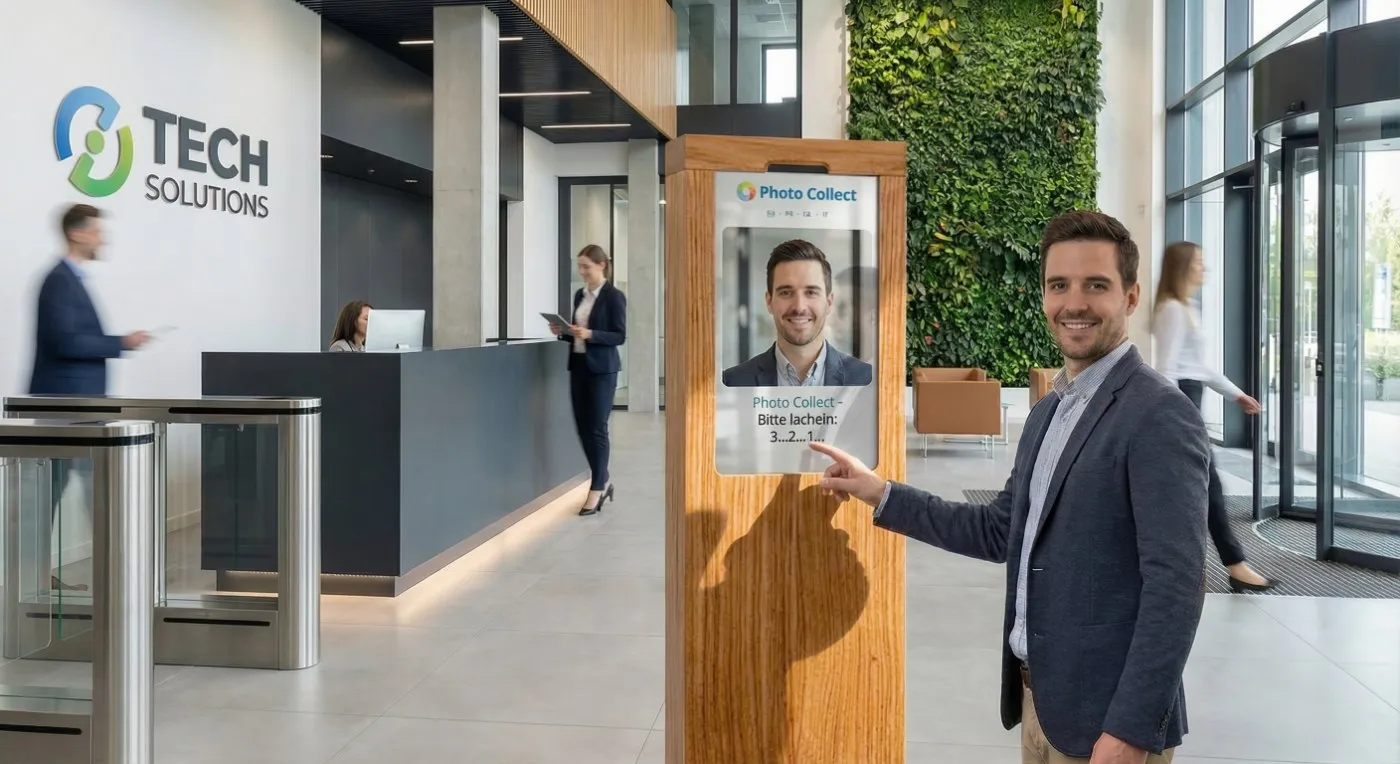
Those gathering employee photos soon encounter the same questions: Is hiring a photographer worth it? Is a photo box at the reception sufficient? Or do employees snap their own photos with their smartphones? It depends on the purpose of the images, the number of people involved, and how far apart their workplaces are.
What companies need employee photos for
In many organizations, a portrait photo fulfills multiple roles:
- Employee ID card: The photo on the badge serves for identification purposes and often for access control as well. It has to depict the person reliably.
- Website and intranet: The photo on the team page and in the employee directory influences how the company portrays itself.
- Microsoft Teams and Outlook: Your profile picture is visible in chats, meetings, and the address book.
- LinkedIn: A lot of employees want a professional photo for their own profile as well.
The requirements vary: the ID card must have a fixed format and a clearly visible face, whereas the website should have a consistent appearance that aligns with the corporate design. Rather than creating a separate photo for each purpose, it's more efficient to take one good shot and produce the needed variants from it. Photo Collect generates multiple formats from a single photo, such as for badges, websites, Teams profile pictures, or LinkedIn, and provides these images as a ZIP file, through a REST API, or directly to Active Directory and Entra ID. Discover more in the use case Uniform profile pictures for the intranet and Teams.
Evaluating four methods for obtaining employee photos
In reality, there are four possible methods. They vary in how much organization they need, how consistent the images are, and whether the outcome is appropriate for the ID card.
| Approach | Workload | Consistency | For the identification card |
|---|---|---|---|
| On-site photographer | High: scheduling appointments, all must be present, new hires wait for the next photo day | High, as long as the lighting and setup are consistent | Appropriate if the requirements are understood |
| Photobox or photo kiosk | Medium: established once, then self-service without appointments, but only on location | High, due to the consistent shooting conditions each time | Appropriate |
| Smartphone upload with auto-check | Low: no app, personal link, location-independent | High, because background and cropping are standardized automatically | Appropriate, owing to the automated quality assessment |
| Artificial Intelligence-generated headshots | Low: share a few selfies | Elevated, but not through natural means | Regeneration of the face: not appropriate |
Photographer: A professional photographer provides top-notch images, such as official portraits of the executive management. However, when there are many employees, multiple locations, or people working remotely, the photo appointment turns into a bottleneck: anyone who is absent needs a follow-up appointment, and new hires have to wait for the next photo day.
Photo box or photo kiosk: A kiosk at the reception or within the plant offers consistent shooting conditions and operates without the need for appointments. It's perfect for employees who don't have their own device or business email, but it does require everyone to go to that location. Discover more in the article The self-service photo box for employee photos.
Smartphone upload with automatic check: Every individual gets a personal link via email or SMS and takes the photo directly in the browser, without needing an app or login. The moment you upload, the software evaluates sharpness, exposure, framing, and head position, reporting any errors right away. The background and cropping are then standardized automatically. Since it's not possible to mandate that someone use their private smartphone, there should be options like a kiosk or capture via app at the card office.
AI headshots: Generative AI services can turn a few selfies into perfect business portraits. Although the outcome appears polished, it no longer represents the real person: the AI creates details that are absent and can modify features like the distance between the eyes or the shape of the jaw. Official ID cards cannot feature such images, and employee ID cards that control access should avoid them as well. Photo Collect intentionally avoids generative AI: the software verifies, crops, and changes the background; however, the face remains the same. Discover more in the article Image Enhancement with AI—What's Allowed?
Elements of a consistent employee photo
When these four elements align, employee photos appear consistent:
- Background: a solid color, a color gradient, or a background image that aligns with the corporate design. When the background is changed automatically, the location of the shoot becomes irrelevant.
- Framing: identical format and head position, i.e., head and shoulders, facing the camera, with the face centered. The 4:3 aspect ratio is typical for companies; for passport photos, it's usually 1:1 or 35 × 45 mm.
- Lighting: use even light from the front, avoiding harsh shadows and backlighting. Often, daylight in front of a window is sufficient, but a lamp directly overhead won't do the job.
- Attire: whether in daily work or following the dress code, it's best to wear solid colors and avoid large logos or fine patterns. Outfits need to be distinct from the selected background. The photo should not include headgear or sunglasses; regular glasses are usually acceptable as long as the eyes are clearly seen.
These requirements should be established once and applied consistently, regardless of whether a photographer, a kiosk, or the employees themselves are taking the photos. With Photo Collect, you set the background, cropping, and formats just once for each company, and these settings are automatically applied to every photo.
A quick overview of data protection
Under the GDPR and the Swiss FADP, consent is usually not required for the photo on the employee ID card. Legitimate interest serves as the legal foundation, such as in areas like security and access control, or the fulfillment of the employment relationship. Nonetheless, it's crucial to inform employees transparently about what will happen to their photo.
It's a different story for the website, the Teams profile picture, or marketing materials: these extra uses need separate, voluntary, and documented consent. The simplest approach is for employees to upload their own photo to these channels. In this case, Photo Collect can send each individual a copy for personal use.
We address this subject thoroughly, complete with a sample text for informing employees, in the article Legal questions regarding photos on employee ID cards.
Procedure for new employees and large waves
Two scenarios influence how photos are collected: the continuous onboarding of new staff and large-scale events like an ID card replacement or the rollout of a new corporate design.
New employees: The photo link is included in the onboarding process and is sent out before their first day. This means the photo gets uploaded to the system before the person needs their ID card. In case the upload is missed, Photo Collect will automatically send a reminder.
Large waves: In the case of an ID card replacement, all those affected receive their link simultaneously. The automatic check identifies unsuitable images at the moment of upload, and it is supplemented by manual quality control upon request: this process takes about one second per photo, and usually only 2–4% of photos are requested again. After the finished images are sent as a batch to the ID card or access control system, they are automatically deleted from Photo Collect.
Krones demonstrates this on a large scale: replacing 20,000 ID cards across the group was achieved without a single photo appointment. Corporate security has moved photo capture to the start of onboarding instead of speeding up the photo office. Ari Schuster, Head of Security, states, “We save a great deal of time because there is no more appointment scheduling.” Check out the complete story in the Krones testimonial.
Photo campaign checklist
- Identify the planned uses: Identification card, website, company intranet, Teams, LinkedIn
- Set requirements: format, framing, background
- Select capture methods and provide an alternative to personal smartphones
- Notify employees and get consent for the website and Teams
- Make a decision regarding the quality check: automatic, with a manual check if requested
- Clarify the transfer to ID card and HR systems, along with deletion timelines
- Ensure photo capture is a fixed part of the onboarding process
Common inquiries
What should employees dress in for the photo? Preferably, attire as seen in daily work or in line with the dress code, in one color and free of large logos. Outfits need to be distinguished from the background. Sunglasses and headgear should not be in the photo.
Can we smile? A natural smile is typically preferred for the website, intranet, and Teams. For the ID card, it depends on the requirements: for employee ID cards, a slight smile is generally not a problem. When following biometric standards like those set by ICAO, you must have a neutral facial expression and a closed mouth. You can set up Photo Collect accordingly. Discover more in the article Biometric Photos as per ICAO Standards.
What’s the ideal frequency for updating the photo? There is no legal time limit regarding employee photos. When the person's appearance has changed significantly, update the photo to ensure the ID card reliably shows them. Replacing your ID card is a great chance to refresh all your photos. You need to delete the photo when someone departs from the company.
Final thoughts
While a photographer can produce stunning individual images, they don't scale well. While a photo box ensures consistency, it is limited to a single location. While AI-generated headshots may appear polished, they don't represent the real individual. For most companies, the most efficient method is smartphone upload with automatic check, along with a kiosk for those who don't have a device. In this manner, a single photo offers all the information needed by the ID card, website, and Teams. You can immediately see what capture looks like for your employees: Snap a test shot.