Employee ID badges in hospitals
Photos for every employee's badge, including shift and night staff, across multiple locations. Taken by smartphone, checked on upload, and ready for your badge system.


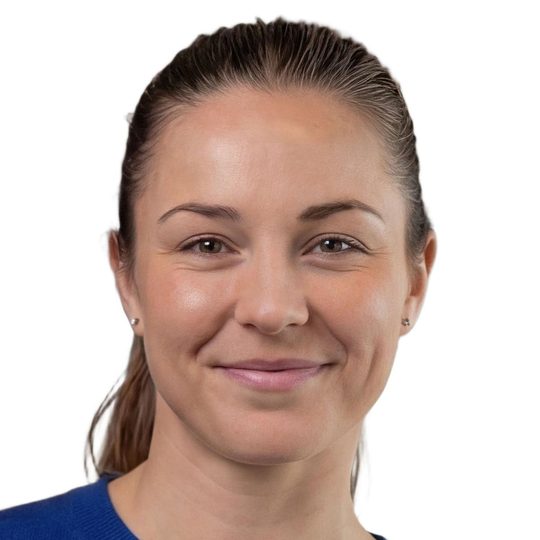
A hospital never photographs everyone at the same time.
Nursing staff, physicians, hospitality and technical teams work around the clock, often at multiple locations. Many have no company email, and visiting physicians and external specialists are only on site on certain days.
A photo appointment at the badge office rarely works here. By the time everyone needs a new badge, the photo has become the bottleneck.
From staff list to finished badge.
Invite every staff group
From the staff list or HR system, by email, SMS, or letter with QR code. Sent in waves, for example ward by ward.
Check and prepare the photo
ICAO 9303 checks on upload, automatic cropping and background, manual quality control where needed.
Handover to the badge office
Via REST API, sFTP, or ZIP to the badge and access control system.
The photo between two shifts, taken on their own smartphone
Every employee receives a personal link by email, SMS, or letter with QR code, and uploads the photo whenever it fits their roster.
- Personal link, no login and no app
- Under 2 minutes (median)
- Instant feedback if something isn't right

Photo kiosk and staff-operated app at the badge desk
For anyone who can't or doesn't want to take their own photo, it is taken at the badge desk: at the photo kiosk or with the staff-operated Photo Collect app.
- For employees without a smartphone
- The same checks as for uploads
- For onboarding days with many new employees

Highly automated through to approval.
Photos are immediately checked for consistency and quality and automatically processed to the required format. Optional manual quality control guarantees fully compliant results.





Head not facing forward
Faulty photos are detected during upload — with instant feedback.
- 35+ automatic checks
- Configurable criteria and strictness
- Feedback with specific instructions
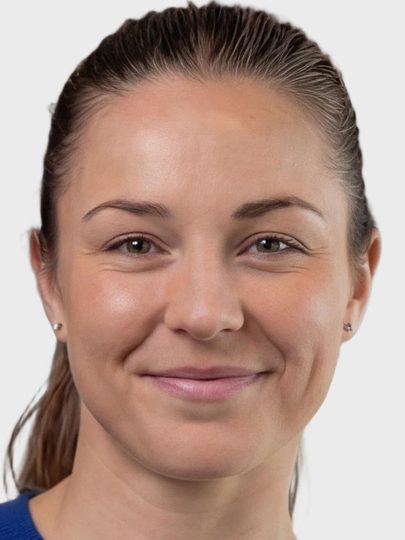

Portrait, close zoom, gray background
Uploaded photos are automatically processed to the required format, including:
- Alignment and centering of the face
- Adjustment of format and zoom
- Background replacement as specified
Photos can optionally be reviewed manually before final approval.
- Integrated messaging for new requests
- New invitation with detailed reason
- Interface designed for large review volumes
Four occasions, one process.
Merger, new building, new access control system or new hire: the hospital sends the invitations, Photo Collect checks, and the badge office receives finished photos.
Merger or new name
The old name is on every badge. A new ID card for everyone means thousands of up-to-date photos within a short time.
Move to a new building
By moving day, everyone needs a badge that opens the new doors.
New access control system
A new card technology means a new card for every employee.
Ongoing new hires
The link goes out with the onboarding documents. That way, the photo is in before the first working day.
What a hospital badge changeover needs.
Shift work, multiple sites, and many employees without a company email: these three features are built for exactly that.
Invitations in waves
Ward by ward or location by location.
Automatic follow-up invitation
To everyone who hasn't submitted a photo yet.
Without a company email
Link by SMS or letter with QR code.
Connected to the hospital's badge, access control, and HR systems.
The photos go straight to where the hospital prints and encodes its badges. Without an interface, an export is enough.
- Staff list from the HR system or via Excel import
- Handover via REST API, sFTP, or ZIP
- File names based on the hospital's personnel number
- Operated as a managed service in Switzerland or on-premise
- Access control system Badges that open wards and staff entrances
- Badge printing Printing and encoding of hospital badges
- HR system Staff list and new hires
- Export for the badge office As ZIP or via sFTP, no interface needed
What customers say
“We save a great deal of time because there is no more appointment scheduling.”
20,000 ID cards, not a single photo appointment
Read more Ari SchusterHead of Security
Swiss made, Swiss hosted.
The software is developed in Switzerland and runs in an ISO 27001-certified data center in Switzerland. On-premise hosting available. Sovereign infrastructure and AI models.
Frequently Asked Questions
What about nursing, hospitality, and cleaning staff without a company email?
They receive the link by SMS or get a letter with a QR code.
How do we reach visiting physicians and external specialists?
With the same personal link as everyone else, by email, SMS, or letter with QR code. That way their photo is in before they are next on site.
And employees without a smartphone?
Photos are taken at the badge desk with the Photo Collect app or at a photo kiosk, with the same checks.
How do the photos get into the hospital's badge system?
Via REST API, sFTP, or ZIP. Interfaces are available for PIAM systems such as Securigate (Securiton) and OCMS (ID-ware).
Can a hospital require employees to provide a photo for their badge?
The key points are covered in our article “Legal questions regarding photos on employee ID cards.”
Is the face on the badge altered?
No. Photo Collect uses its own models without generative AI and only adjusts cropping and background.
Where are the hospital staff's photos stored?
In your own instance, in an ISO 27001-certified data center in Switzerland. After export, the data is deleted on schedule.