
Employee photo guideline: downloadable template
A photo guideline outlines the requirements for employee photos to ensure they look consistent on ID cards, the website, and in Teams, and can be verified. It addresses framing, background, lighting, expression, glasses and headgear, attire, editing, file format, as well as purpose and deletion. Our template addresses all of these aspects and can be customized immediately.
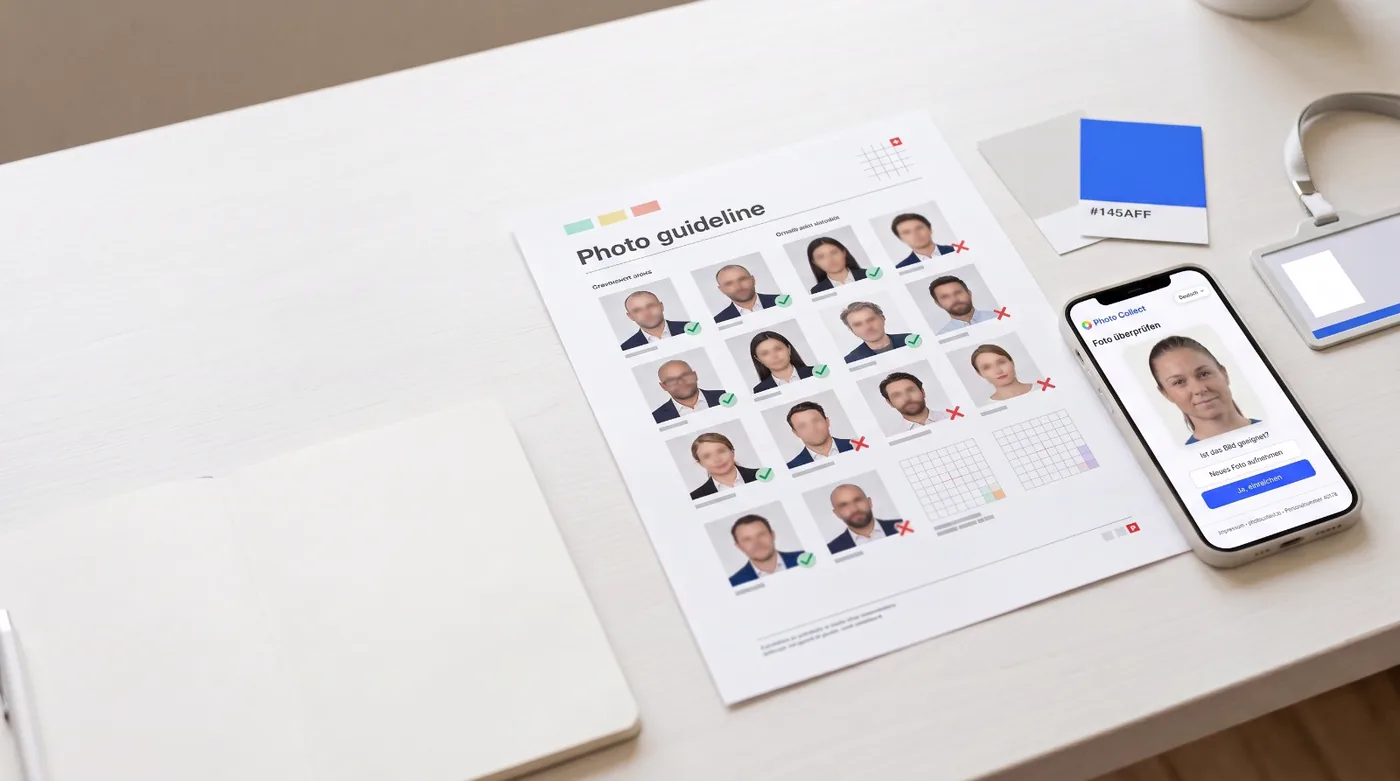
Who needs a photo guideline and what is it?
Any organization that gathers employee photos for multiple channels should have a photo guideline in place. This internal document outlines mandatory image and process requirements for all channels.
Without a guideline, photo chaos quickly ensues: an ID card photo taken in front of the office door, a vacation selfie on Teams, and a portrait from eight years ago on the website. Every retake consumes time, and every query goes to HR.
Two terms assist in making the distinction:
- A frontal portrait used for identification purposes, such as at the gate or when compared to an ID document, is known as an ID photo.
- A profile picture serves as a portrait for the directory, intranet, Teams, or website. It adheres to the corporate design and can be more casual than the ID photo.
Who is accountable? Typically, it's HR working alongside communications (corporate design) and security (ID cards and access).
When is it applicable? For every new employee, for scheduled photo campaigns, and when ID cards are renewed.
Find out how to obtain the photos, whether through a photographer, a kiosk, or a smartphone, by reading our article Staff photos in businesses.
What points should be included in the template?
A comprehensive photo guideline includes twelve elements, ranging from purpose to deletion. Reproduce the text and substitute the placeholders in square brackets.
- Scope and purposes: All employees of [Organization] are covered by this guideline. Photos are utilized for [ID card / access], [directory and Teams], and only with permission for [website / social media].
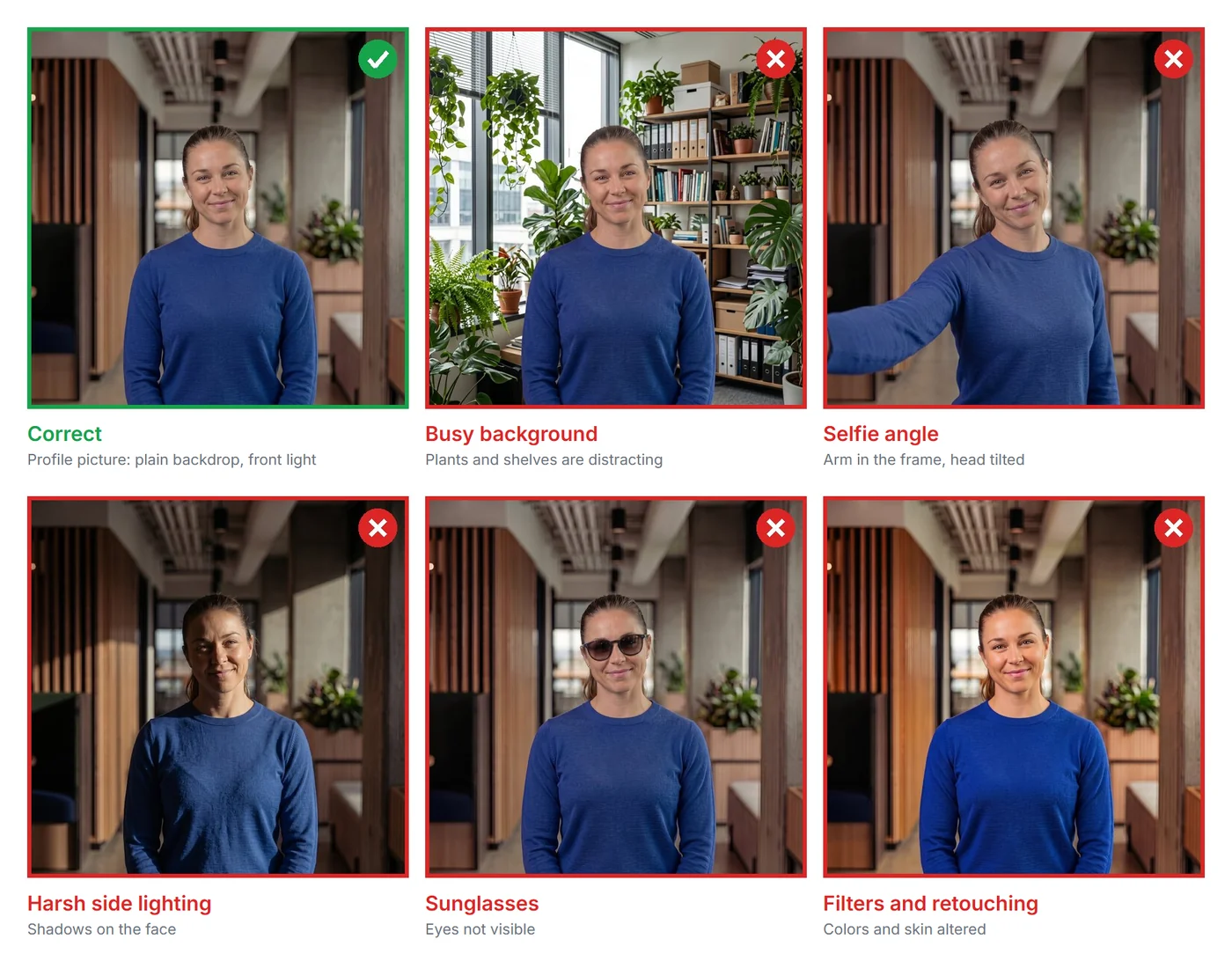
- Framing: Head and shoulders, face in the center, gazing into the camera. Portrait-format ID card [3:4], profile pic is square.
- Background: Identification card: solid [light gray]. Profile picture: [color or gradient from the corporate design].
- Lighting: Frontally even, with no harsh shadows or backlighting.
- Expression: ID card photo: neutral expression, lips closed. Profile picture: friendly, smiling is permitted.
- Eyewear: Permitted as long as the eyes are visible and there’s no glare on the lenses. Without sunglasses.
- Headgear: Prohibited, unless for medical or religious reasons. From the chin to the forehead, the face stays in view.
- Apparel: Solid colors, no big logos or fine patterns. [Attire guidelines].
- Editing: Cropping and changing the background are permitted. Facial characteristics must remain unchanged, and images created by AI are not allowed. Discover more: AI-assisted image enhancement: what's permissible?
- Technical specifics: JPG, minimum [648x648] pixels for profile images, [format as per the ID card system] for the badge.
- Updating your photo: Upload a new photo after a substantial change in appearance, and at least every [X] years.
- Protection and deletion of data: Photos are utilized solely for the purposes outlined. Access is limited to [roles]. Photos are removed [period] after the employee's departure. Point of contact: [name, email]. Contextual information: The necessity of automatic data deletion and Legal considerations about images on employee ID cards.
ID card, website, Teams: how do the requirements vary?
The ID photo, which is used for identification, has stricter requirements. The corporate design is reflected in the website and Teams pictures.
| Requirement | ID card | Teams / directory | Website |
|---|---|---|---|
| Purpose | Identification | Recognition in daily tasks | External representation |
| Format | Portrait format, according to ID card system | square, min. 648x648 px | per web design |
| Background | solid, neutral | corporate identity | corporate identity |
| Facial expression | neutral | friendly | friendly |
| Legal basis in Switzerland | Art. 328b CO | Art. 328b CO | consent is usually required |
What’s the reason for the 648x648 pixel size? Profile photos in Microsoft 365 can range from 48x48 to 648x648 pixels. By uploading square photos of at least this size, you ensure coverage for every display size (Microsoft Learn).
What’s the reason the template splits ID cards from the website? In Switzerland, employers are allowed to process data about employees only if it relates to their suitability for the employment relationship or is necessary for fulfilling the employment contract (Art. 328b CO). Usually, an ID photo falls under this category, but a portrait on the website does not have to. To understand the legal situation, including that of Germany and Austria, refer to Legal questions regarding photos on employee ID cards.
How strict does an ID photo need to be?
There is no requirement for company ID cards to adhere to the passport photo standard. Nonetheless, organizations that use machine photo matching or compare images to ID documents rely on the international standard ICAO 9303 as their reference.
In Switzerland, the passport is the strictest reference. As per the fedpol photo sample chart, it necessitates:
- Format 35x45 mm, head height from chin to crown measures 29 to 34 mm
- Unadorned, neutral backdrop
- Mouth closed, a friendly look is allowed
- Recent photo (not older than a year)
- Medical or religious reasons only for headgear
These values serve as a reference for a near-ICAO ID card mode, but they are not mandatory for company ID cards. Discover more about biometric photos that meet ICAO standards.
What’s the process for rolling out the guideline?
In five stages, starting with alignment and ending with the annual review.
- Agree on the template: HR will adjust the placeholders and ensure they align with communications and security.
- Produce example images: One good example for both the ID card and profile picture, along with typical errors like backlighting or a selfie angle. Pictures convey more than any rule.
- Include it with the call for photos: The guideline should be in the same message as the photo request, not in the intranet archive.
- Review submitted photos: Either manually against the guideline or through automated means. Every photo is subjected to over 35 automatic checks by Photo Collect, all based on ICAO 9303 and ISO/IEC 19794-5 standards. Usually, just 2 to 4% of photos are requested again.
- Annual review: New channels, a revamped corporate design, or a new ID card system? Then refresh the guideline.
Employees' effort remains minimal: with Photo Collect, they upload their photo in about two minutes via a personal link, without the need for an app or login. You can also use a kiosk, an app, or a QR code. Discover more in Capture employee photos efficiently with your phone.
Common inquiries
Is a photo guideline necessary for every organization? No. However, once photos are in more than one system, it saves queries and retakes.
Can employees submit their own photo? Absolutely, as long as it fulfills the criteria. The guideline outlines the how and where.
How often should photos be updated? When a person looks very different. The organization determines the fixed interval on its own, and there's a placeholder for it in the template.
How about religious headgear? The template permits it as long as the face is visible from chin to forehead. Have your legal department review the wording.
Do you need consent for the photo on the website? Typically, for publication, yes. Discover more in the piece Legal questions regarding photos on employee ID cards.
Final thoughts
It takes HR about an hour to create a photo guideline, and it saves years of queries, retakes, and inconsistent images. The key points are to keep the strict ID photo apart from the profile picture in the corporate design, and to establish clear rules regarding their purpose and deletion. Grab the template and modify the placeholders.
Additional resources: Photos for HR profiles · Photos for employee ID cards